Plan · Shop · Cook
The week plans itself.
One tap, and Tellerino fills the open meals of your week with recipes to match.
- Meal PlanFills in one tap
- RecipesFrom link, photo, or video
- Shopping listOne check, every phone


Plan & list free forever · Tellerino plans your first 3 weeks for free · No ads
Meal Plan
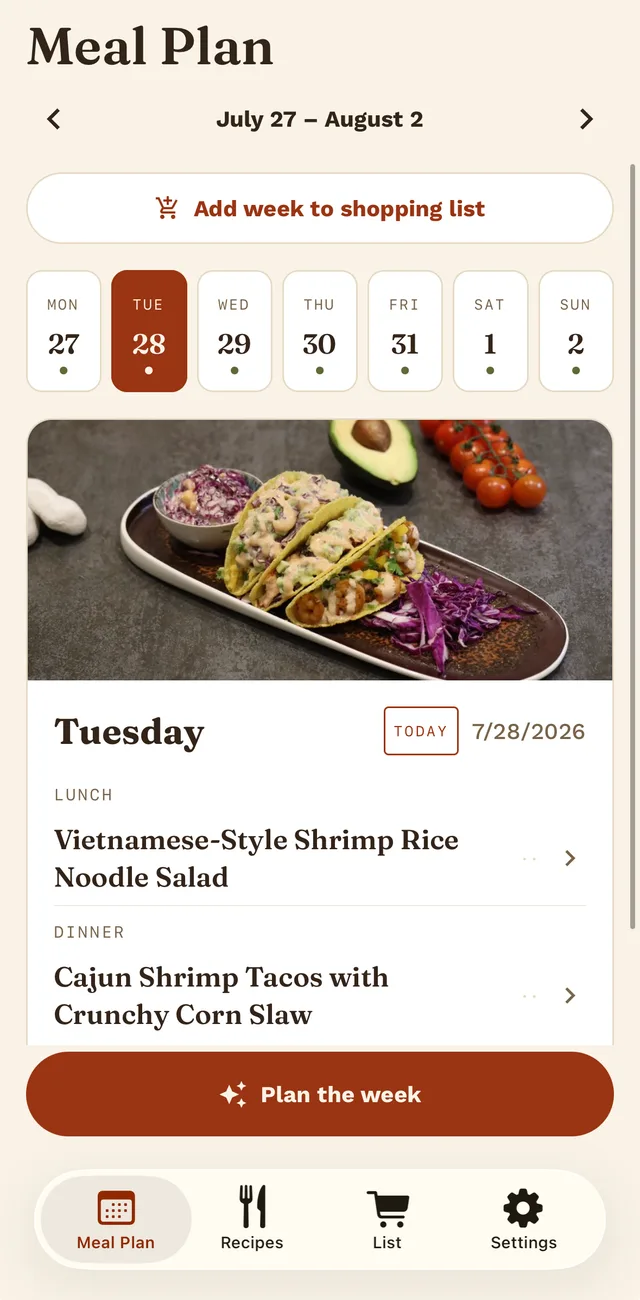
The whole week, in one tap.
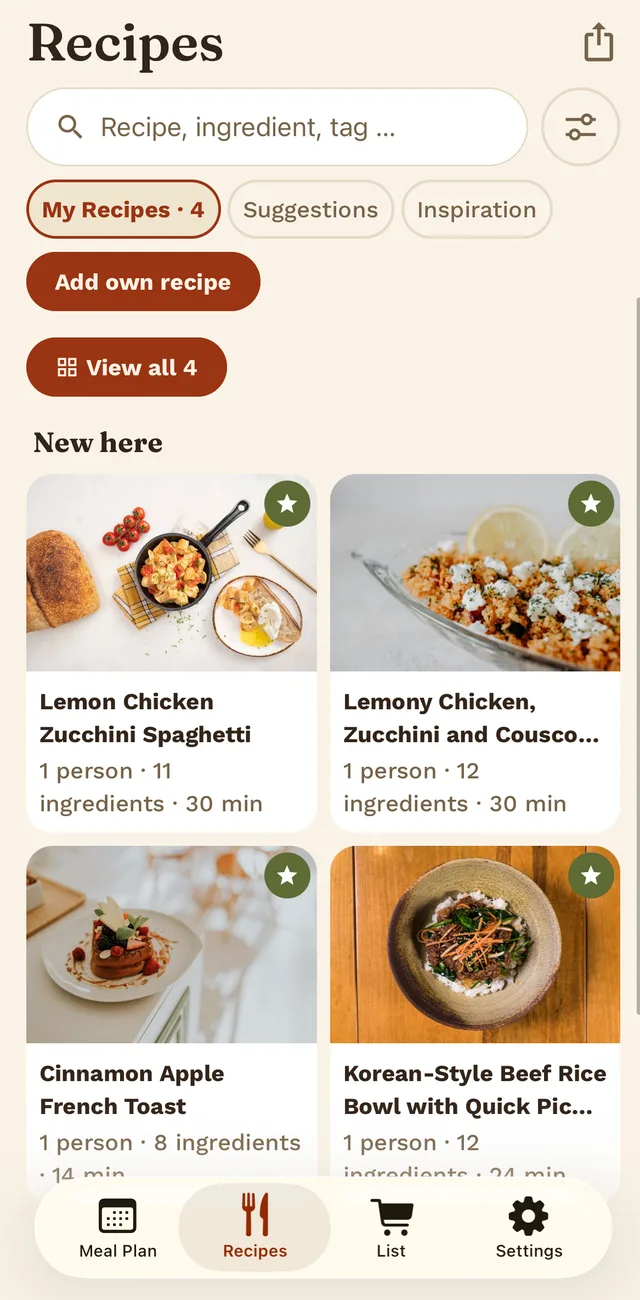
You choose which meals Tellerino plans, from breakfast to dinner. One tap fills the open slots of the week, with your own recipes first in line. Don’t like something? Remove it and add something else.
Three weeks planned for free · Every week with Pro
Recipes
Recipes, without the typing.
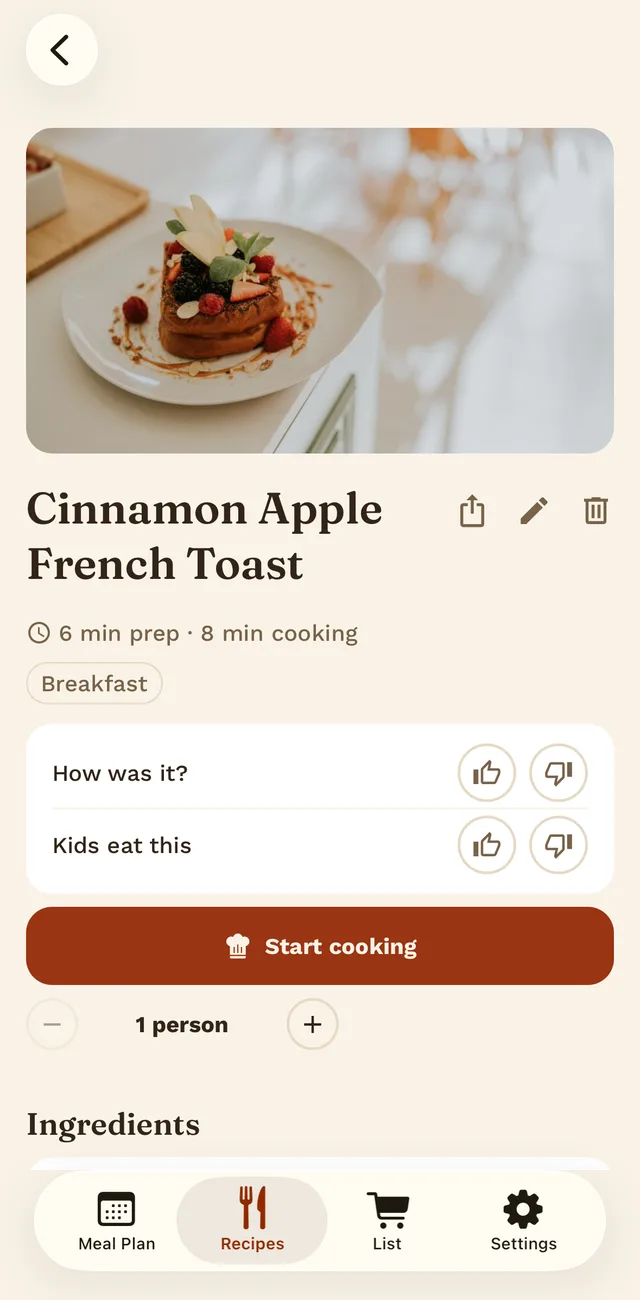
Tellerino turns a link, a cookbook page, a handwritten recipe card, or a video description into a recipe with ingredients, amounts, and adjustable servings. It goes straight into your household’s shared collection.
Photo Link Video By hand
One household · One plan
What one person does, everyone sees.
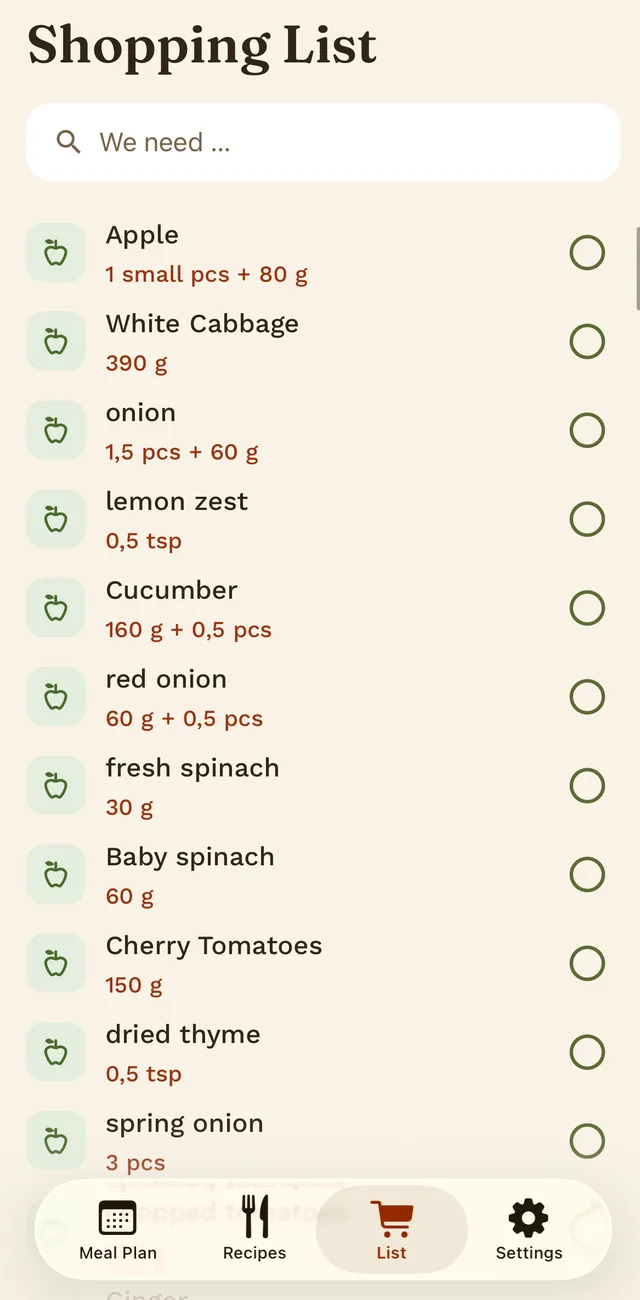
Whether you plan alone or six of you share a kitchen, whatever someone adds or checks off shows up on everyone’s phone right away. You can skip the screenshots in the group chat. And the list sorts itself by supermarket section, so nobody walks down the same aisle three times.
Just checked off · On every phone
Pricing
Start free, go Pro when you want.
-
TellerinoFree
Meal plan, shopping list, your own recipes and sharing with your whole household. Plus 5 recipe recognitions a month and automatically planned weeks: the first 3 free, then one a month.
-
Pro · Month$3.99
Tellerino plans every week for you, suggests recipes and recognizes more recipes each month.
-
Pro · Year$24.99
Everything in Pro, for a whole year.
You can try Pro free for 7 days. After that the subscription renews until you cancel it in the App Store or on Google Play. Prices from the US App Store; on Google Play and in other countries they may differ slightly.
Good to know.
Where can Tellerino import recipes from?
From links, photos (of a cookbook page or a handwritten recipe card, for example), and video descriptions. You can also add recipes by hand.
Is Tellerino free?
The meal plan, shopping list, and your own recipes are free forever, for your whole household. You also get five recipe recognitions a month for free, plus automatically planned weeks: three to start with, then one a month. With Pro, Tellerino plans every week for you, suggests recipes, and recognizes more recipes each month. Pro costs $3.99 a month or $24.99 a year, and you can try it free for seven days.
Is Tellerino available for iPhone and Android?
Yes. You’ll find it on the App Store for iPhone and on Google Play for Android. Mixed households work fine too: iPhone and Android users see the same plan and the same list.
How do I share my household with someone?
You create a household and get an invite code. Anyone who enters it is in and sees the same list and the same plan right away. Up to six people can share a household.
Does the shopping list work offline?
You can add and check off items without a connection. Tellerino remembers your changes and syncs them as soon as you’re back online, even if you close the app in the meantime.
How do I cancel Tellerino Pro?
In the App Store or on Google Play under your subscriptions, at least 24 hours before the current period ends. Pro stays active until then. All the options are on the Cancel contracts page.
What happens to my data?
Tellerino doesn’t show ads or sell your data. For recipe recognition, notifications, sign-in and subscription management, Tellerino works with service providers, some of them outside the EU. The privacy policy lists all of them and what they receive. You can delete your account yourself in the app at any time.
Where can I get help?
Answers about invitations, gift codes and your account are on the help page. Or just write to support@tellerino.app.
The table is set.
Download it today and head to the store tomorrow with your list ready.
On a computer? Scan the code with your phone to go straight to the App Store or Google Play.
Start for free · Pro only if you want it